Accenture
Conversational AI for pollinator gardens
An AI-led sustainability web app built for Accenture's Season of Impact showcase
THE BRIEF
A gardening app on paper. A corporate impact story in practice
Accenture’s existing prototype was a questionnaire that collected yard information and spat out a garden plan. An AI chatbot sat loosely on the side.
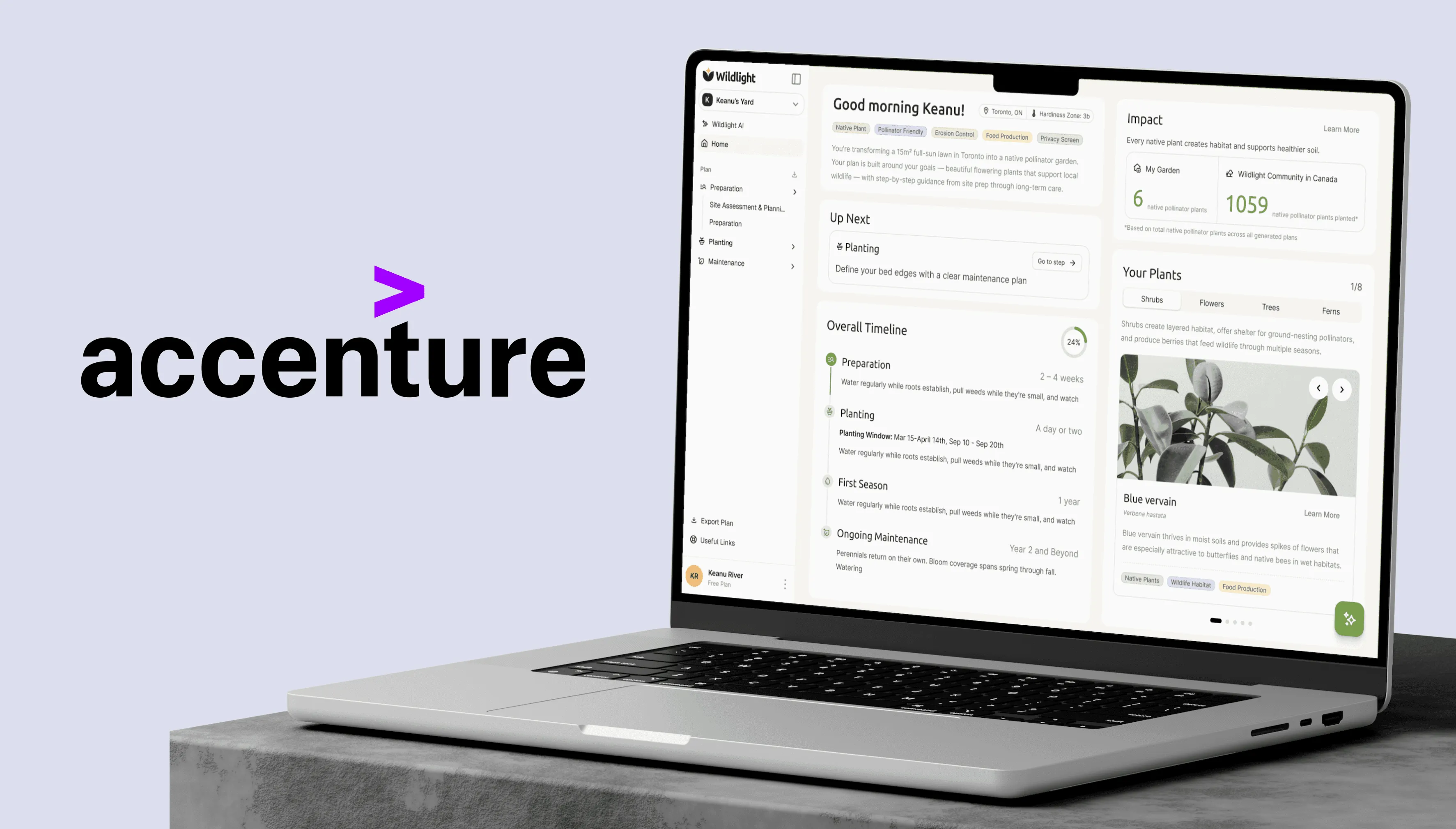
Early conversations with Gowtham and Julie surfaced what the project actually was: Wildlight wasn’t just a gardening app — it was Accenture’s corporate impact story made tangible, built for internal use and planned for their Season of Impact event, with downstream goals in municipal adoption and insurance partnerships. That changed what mattered. The plan page wasn’t an output screen anymore. It was the most important surface in the product.
DISCOVERY
The first few weeks were spent listening — to our SME, users, and the gardening centres
SME SESSIONS
Elliott, native pollinator ecologist
Valuable insights into the problem space that we are not familiar with. Provided insights into the mental models of gardeners.
FIELD RESEARCH
6 interviews with intermediate gardeners
Site assessment is where people give up — researching plants, conditions, and timing across multiple sessions.
WHAT THE NUMBERS SAID
January nursery visit
No native pollinators in bloom — a product insight about seasonality that reshaped the plan page phase timing.
Three things came back across all three tracks: site assessment is the hardest part, gardeners think in temporal phases (prep / plant / maintain), and most ecological metrics can’t be honestly estimated by AI.
THE REFRAME
The vibe-coded version was the wrong starting point
The AI was an afterthought — sitting beside a survey that was doing all the heavy lifting at exactly the part of the gardening process users found hardest: planning and preparation.
The single-page output didn’t match the temporal phases users actually worked in. The AI was decorative, not functional.
BeforeExisting core user flowAIin 1 step
A survey doing the heavy lifting, and a single page trying to hold everything.
- User fills in the site condition survey
- AIGenerates a plan
- The entire plan is displayed on one page
AfterNew core user flowAIin 4 steps
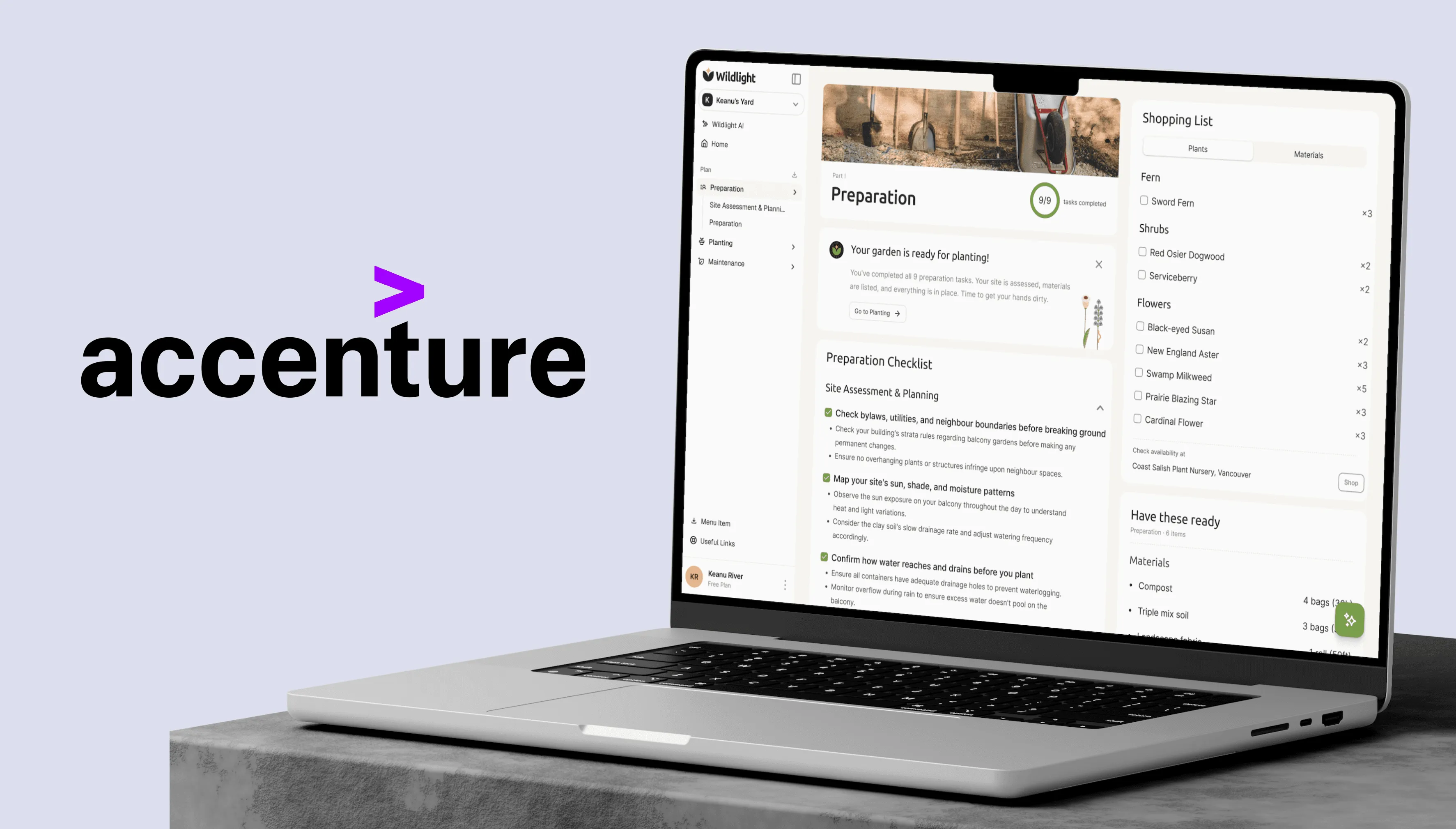
AI leads the hardest part. The plan is structured around how gardeners actually work: prep, planting, maintenance.
- AIGuides the user through the required questions about their siteAITalks it through when the user is unsure about a field
- AIGenerates a plan
The plan, one page per phase
- Overview
- Preparation
- Planting
- Maintenance
- AIAnswers any question about the plan, including adjusting it
Adjusting the plan loops back to the site questions
This was the moment AI stopped being a chatbot-on-the-side and became the core value proposition — exactly aligned with what Accenture needed the showcase to demonstrate.
TRANSLATING THE DECISION ACROSS THE TEAM
A design decision is only as good as the team's ability to execute it
Once the structure was agreed on, the next several weeks were less about Figma and more about making sure SME, PM, devs, and brand designer were building the same thing. I authored three documents that did most of the heavy lifting — but the IA work happened on paper first.
JTBD SCOPING LIST
With the PM, I helped crystallize our feature deliverable list from the lens of users.
Each feature mapped to a specific user job, prioritised against the three-phase structure. Turned the project from a feature pile into a roadmap.
AI PROMPT STRUCTURE DOCUMENT
The AI needed to generate specific, accurate site assessments.
I wrote the prompt framework, vetted by Elliott, that mapped user inputs to scientifically honest outputs. This was as much design work as anything I did in Figma.
DESIGN-DEV COMMUNICATION
Whiteboard sessions, messages, and full plan page specification with 3 devs
Phase logic, AI behaviour, progress tracking, card structures, shopping list filtering. Three developers aligned through constant communication, not a single handoff doc.
Someone needed to hold all five perspectives at once — SME, client, PM, dev, user — and over time, that ended up being me. The documents I authored along the way became as much a product of the project as the screens.
ITERATIONS & TESTING
Three rounds. The first two-thirds was navigation and discovery. The final third was where craft caught up
ITERATION 1 — FEB 15
Happy path usability test, 5 participants.
AI-led site assessment flow (buggy). Plan page was a dev placeholder. Concept test — the right method since users had no actual garden to execute against.
ITERATION 2 — MAR 12
Open exploration usability test, 20 participants.
Improved site assessment, freely explorable. Plan page implemented from my design handoff. Mapped all feedback onto an impact/effort matrix.
ITERATION 3 — FINAL
Impact/effort matrix of the 2nd usability test drove all decisions.
Major visual refinement of the plan page — unified type system, color system, spacing, shadow, micro-interactions. End of project timeline; no further user testing.
VISUAL IDENTITY
Unified in iteration 3. Built to handle density.
Ubuntu handles headings, Inter handles everything below it — generous line heights throughout keep dense information readable without added whitespace. Brand Green 1 (#789D4A) is the single chromatic anchor; accent colours and differentiated grey tiers create separation across states and categories without visual noise. Badges handle tagging at the component level, doing the work of labels without interrupting the layout. The plant field card is the most representative component: species name, bloom time, water level, care level, and ecological tags in one surface.
REFLECTION
Most of the design work happened outside Figma.
I spent maybe a third of this project in Figma. The other two-thirds was SME sessions, user interviews, field visits, prompt structures, JTBD frameworks, dev handoffs, and stakeholder alignment. That balance wasn’t a quirk of this project — it’s what design leadership on a complex enterprise engagement actually looks like.
I carry this forward as a default: on a project with this many inputs and stakeholders, the design lead’s job is to hold every perspective simultaneously and make decisions that honor all of them. The screens are the visible output, but the alignment work is the actual design.
The client took the team out to dinner at their office near the end of the project. That meant more than any testing metric — it was the signal that we’d understood what they actually needed, not just what they’d asked for.
If I could continue: the site assessment flow didn’t receive the same visual refinement the plan page did. I designed five improvement screens addressing the usability and visual gaps — worth a next iteration.
What I’d measure if continued:
Prescribed gardening plan follow-through per phase. “Completed the assessment” isn’t the same as “followed the recommendations.” Goal completion per phase would tell us which.